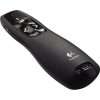

Logitech R400 Wireless Laser Presentation Remote
The Logitech R400 Wireless Laser Presentation Remote is a popular device designed for controlling presentations during meetings, lectures, or conferences. Here are some key features and information about the Logitech R400:
- Wireless Connectivity:
- The R400 operates wirelessly, typically using a USB receiver that plugs into the computer. This allows presenters to move around freely during a presentation.
- Laser Pointer:
- The built-in laser pointer enables presenters to highlight key points on slides or visuals. It’s often red for better visibility.
- Intuitive Controls:
- The remote features intuitive controls for navigating slides, including forward and backward buttons. There may also be a button to blank the screen for a moment.
- Range:
- The wireless range of the R400 is typically several meters, allowing presenters to move around the room while maintaining control.
- Plug-and-Play Setup:
- The device usually has a plug-and-play setup, meaning minimal installation is required. Once the USB receiver is plugged in, it’s ready to use.
- Battery Life:
- The remote is powered by batteries, and battery life can vary. Logitech R400 often uses standard AAA batteries, providing several hours of use.
- Ergonomic Design:
- The remote is designed for comfortable use, with ergonomic features such as a contoured shape and easy-to-reach buttons.
- Compatible Software:
- The Logitech R400 is generally compatible with various presentation software, including Microsoft PowerPoint, Google Slides, and others.
- Carrying Case:
- Some packages may include a carrying case for convenient storage and transport.
- Indicator Light:
- The remote may have an indicator light to show battery status or connection status.
- Compatibility:
- Check the device’s compatibility with different operating systems (Windows, macOS) before purchasing.
The Logitech R400 is a reliable choice for professionals who frequently give presentations. Its ease of use, wireless functionality, and laser pointer make it a practical tool for enhancing the presentation experience. Before purchasing, it’s always a good idea to check for the latest model and features on the Logitech website or through product reviews.